Producing Video for Social Media — A Quick Guide
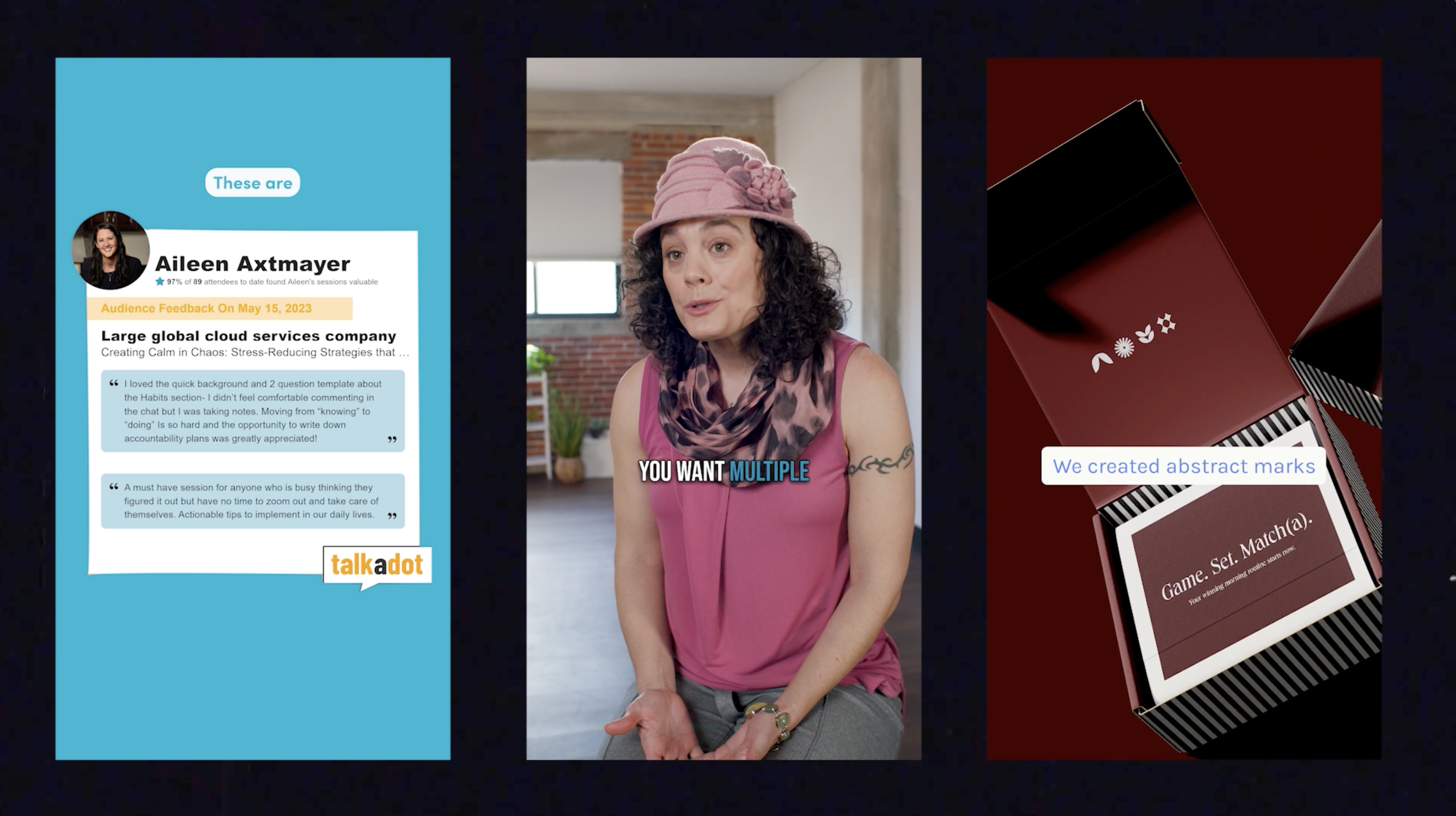
Pictured above are reels that I edited as part of Main Paige Media’s quarterly Express Reels Sessions. Still taken from my 2025 Editing Demo Reel.
A Quick Guide to Navigate Creating Video for Socials
Whether you DIY it, hire out, or some combination of both — creating video for your social media channels is mandatory at this point to grow brand awareness and drive sales. AND … there are several factors to consider when investing time and oftentimes money into creating content for social media, particularly video. This beginner-friendly guide will go over many important details such as preferred formatting for specific platforms, filming tips/techniques, suggestions for creating engaging content (with examples), and editing and posting best practices.
FORMATS

The three most common formats you will find in video for social media and their pixel dimensions are Vertical (1080 X 1920), HD (1920 X 1080), and Portrait (1920 X 1080). For the fellow nerds out there, their aspect ratios are 9:16, 16:9, and 4:5 respectively.
Each social media platform has a preferred video format with some give and take. Here is a quick breakdown by platform:
TikTok: Vertical (1080 x 1920)
Instagram:
Vertical (1080 x 1920) for Instagram Reels, Story ADs
Portrait (1080 X 1350) for In-Feed ADs
HD (1920 x 1080) for posts –however– Vertical and Portrait generally perform better on Instagram
Facebook:
Vertical (1080 x 1920) for Video, Story ADs
Portrait (1080 X 1350) for In-Feed ADs
HD (1920 x 1080) is accepted but often videos in this format are uploaded to YouTube and linked out
Twitter/X:
Vertical (1080 x 1920) is more common
HD (1920 x 1080) is also accepted but not as preferred
Linked-In:
Vertical (1080 x 1920) - Linked-In has embraced vertical video more recently
HD (1920 x 1080) - the traditional HD format is also widely seen on the platform since it allows videos up to 5 minutes in length to be uploaded directly
YouTube:
HD (1920 x 1080) - YouTube is primarily for longer form content (2 min+) and therefore fits the more traditional format
Vertical (1080 x 1920) - the YouTube Shorts tab is designed specifically for posting short-form Vertical content
“WHAT IF I WANT TO CREATE CONTENT THAT RESIDES ON
MULTIPLE PLATFORMS WITH MULTIPLE FORMATS?”
If you, for example, want to create a longer form demo for YouTube in HD format, but want to cut out three, 30 second clips for TikTok and Instagram Reels, shoot for the HD format and then reformat in your editing software to Vertical. See the next section for filming tips to ensure your HD video footage crops well to Vertical.
FILMING TIPS & TECHNIQUES
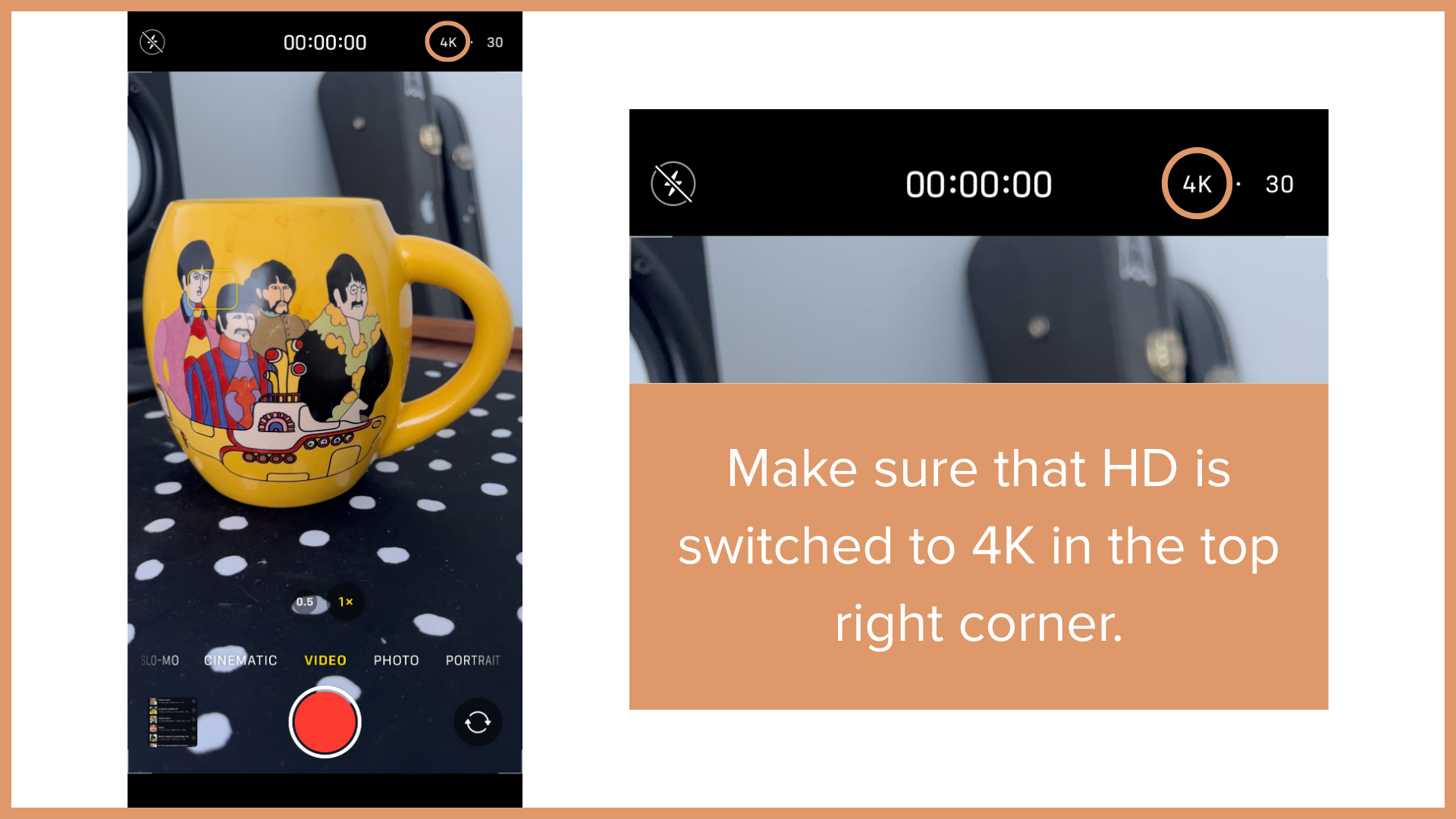
Shoot in 4K
It’s most often recommended to shoot your video in 4K (3840 x 2160) resolution because the higher pixel density allows you to retain image quality when scaling up the image. Notice that the pixel dimensions are twice that of HD (1920 x 1080).
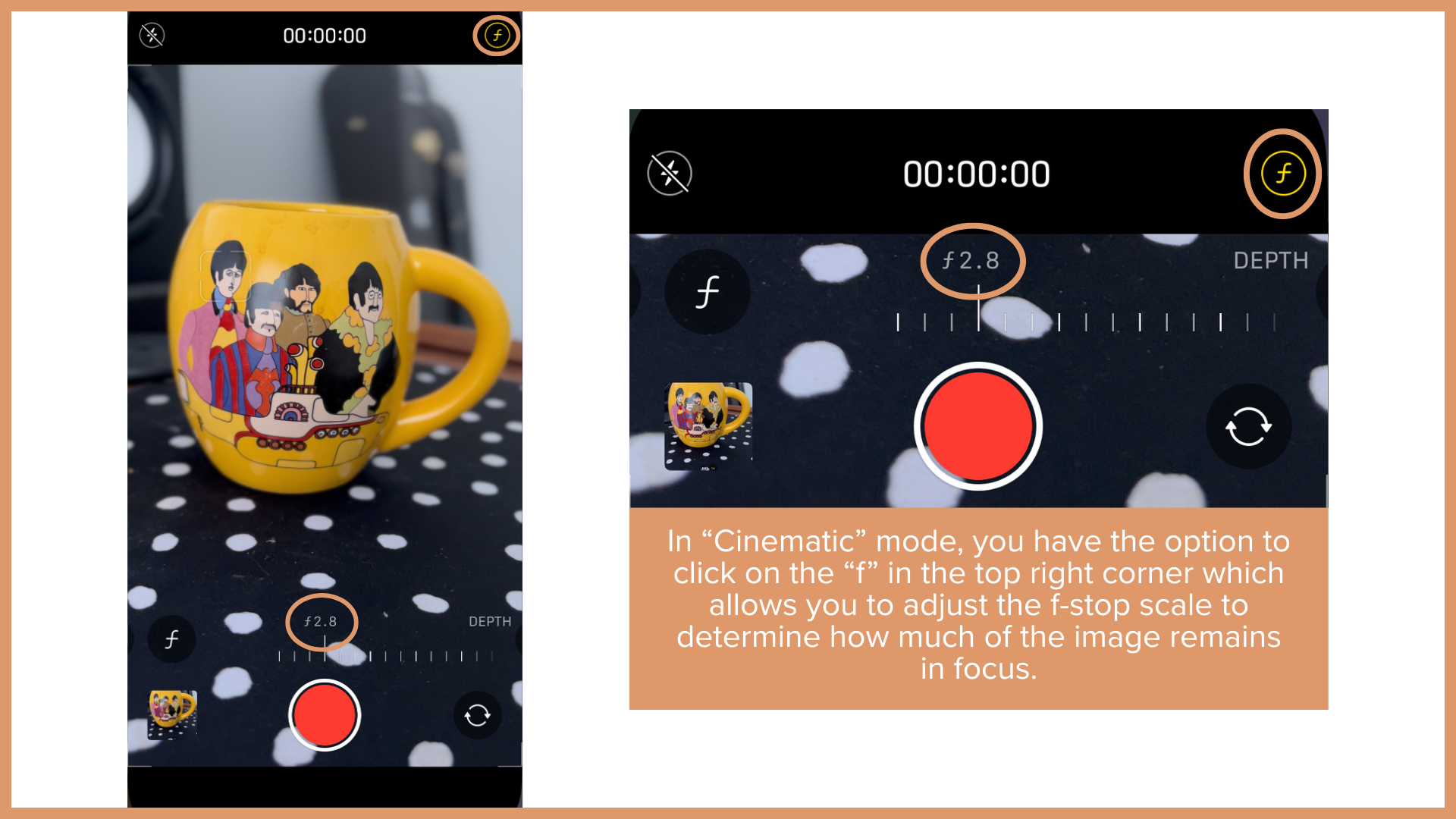
F-Stop
To create that blurred background, lower the f-stop setting on your phone or camera to a lower number (3 or under).
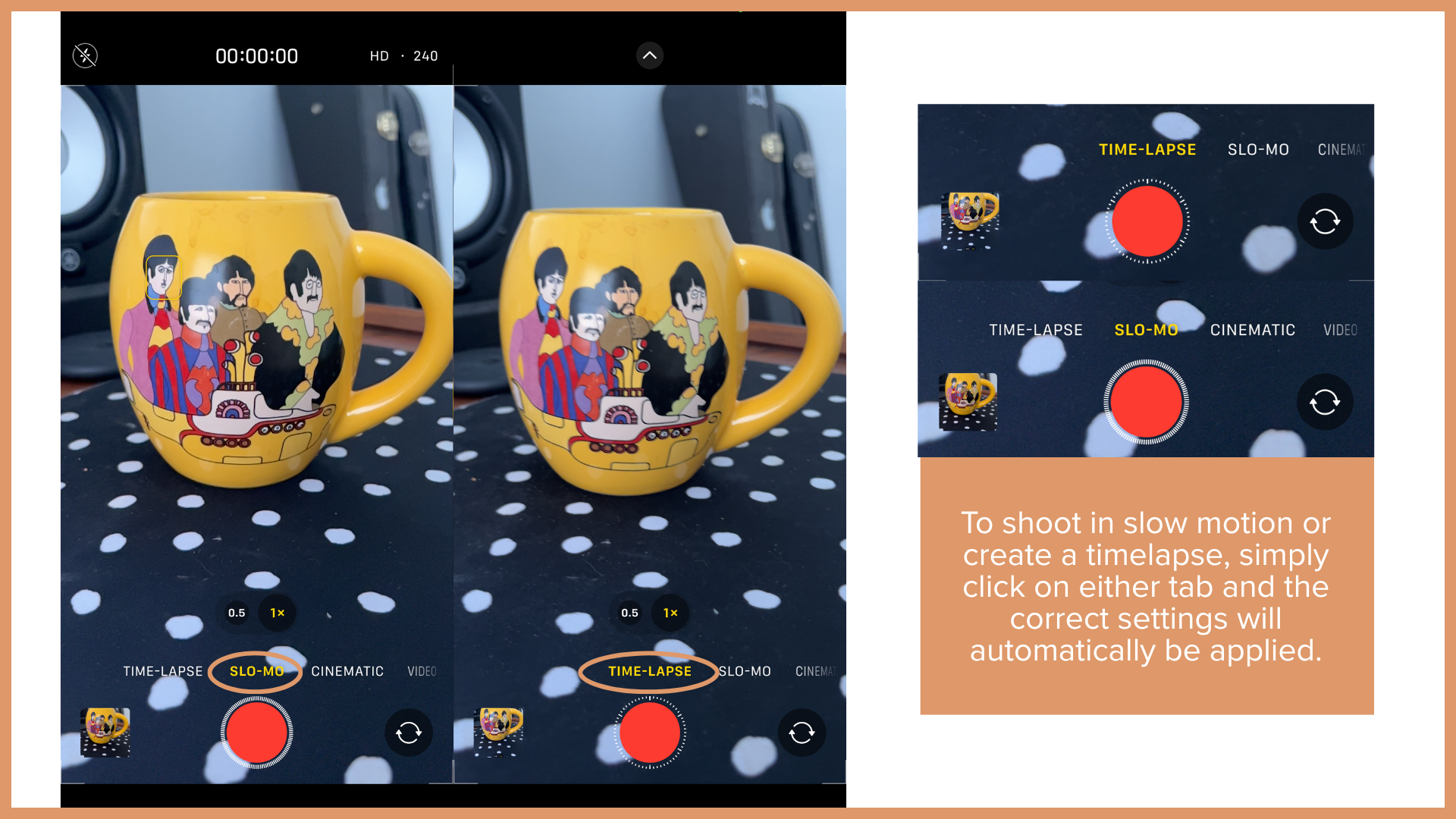
Slow Motion and Timelapse
Most phones have the ability to film in slow or fast motion. Use it to spice up your content.
Helpful Apps for filming on your phone: Blackmagic Cam, Filmic Pro


Lighting
The lighting source, whether natural or artificial should be behind the camera or phone in order to avoid harsh silhouetting. For example, this happens when you put a subject in front of a very bright window without some other light to compensate.
Opt for diffused light such as a ring light, a light with a soft box over it or indirect natural lighting.
To further elaborate on “indirect natural lighting”… When shooting with natural light, it is often best to avoid shooting at the sunniest times of day (for example, noon) because the light is too harsh, and the 90° overhead angle creates unflattering shadows. Opt for morning and afternoon (you may have heard of the term golden hour ~3pm).
Framing
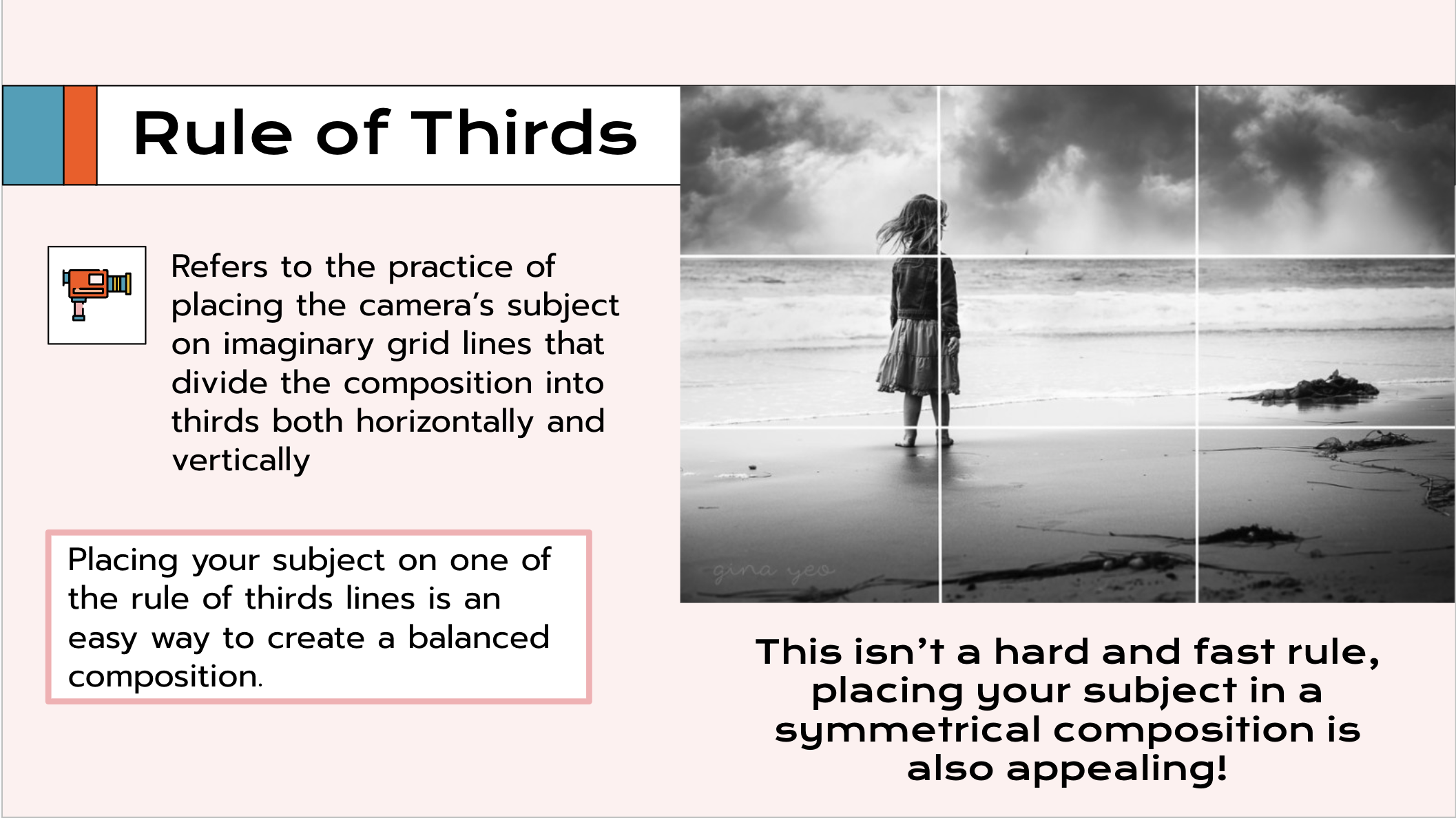
Rule of Thirds
Use the Rule of Thirds as a guideline (this is more applicable to HD format but overall useful in creating interesting imagery).
Shoutout to Winchester Community Access & Media for this slide which comes from a Camera Training presentation I created when I served as their Training & Outreach Coordinator. Utilize your local public access station as a resource!
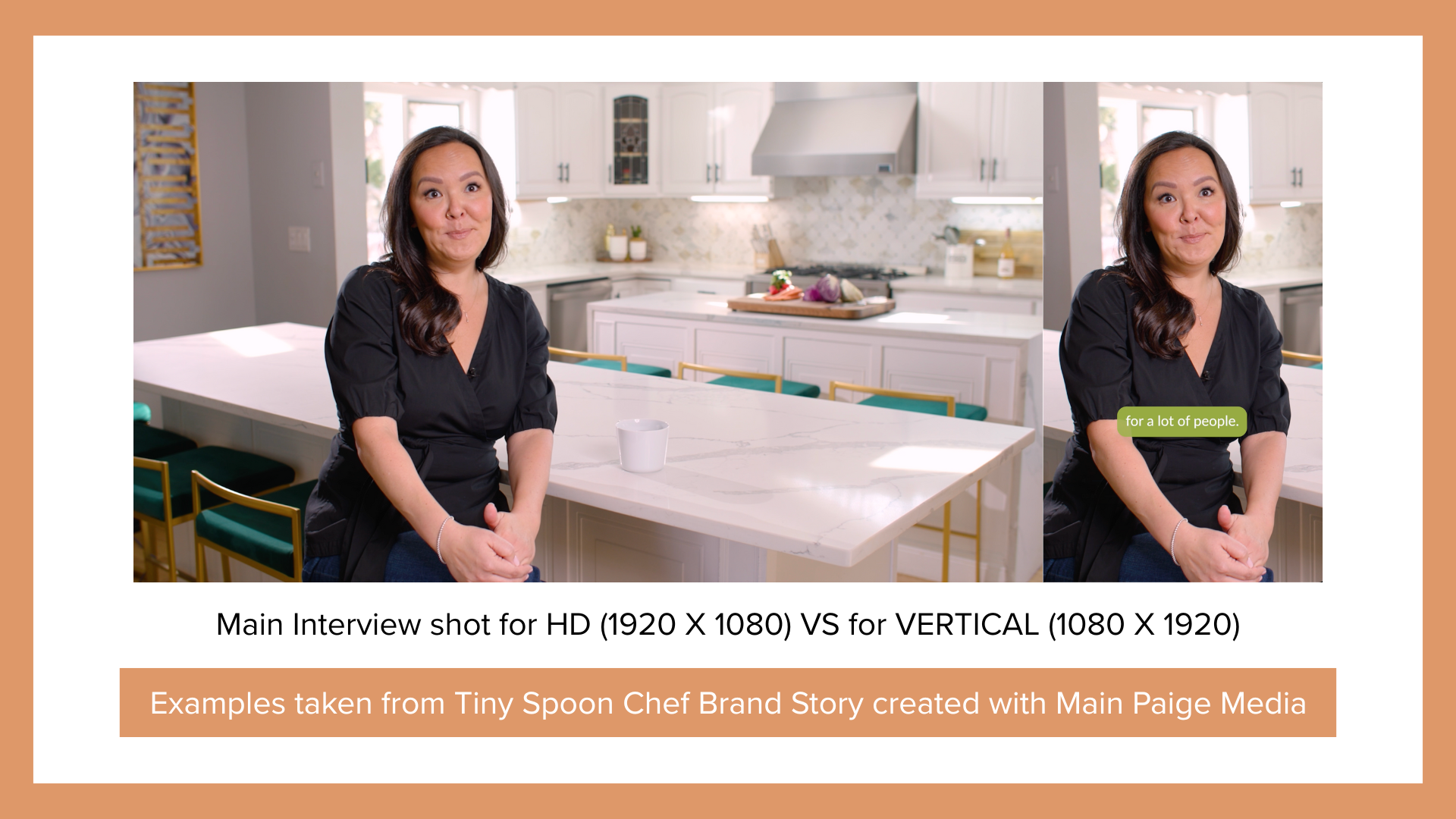
When shooting HD…
If you plan to shoot 16:9 in order to create video for both HD and Vertical formats, you MUST shoot 4k, and you must also frame everything wider in order to accommodate for cropping.
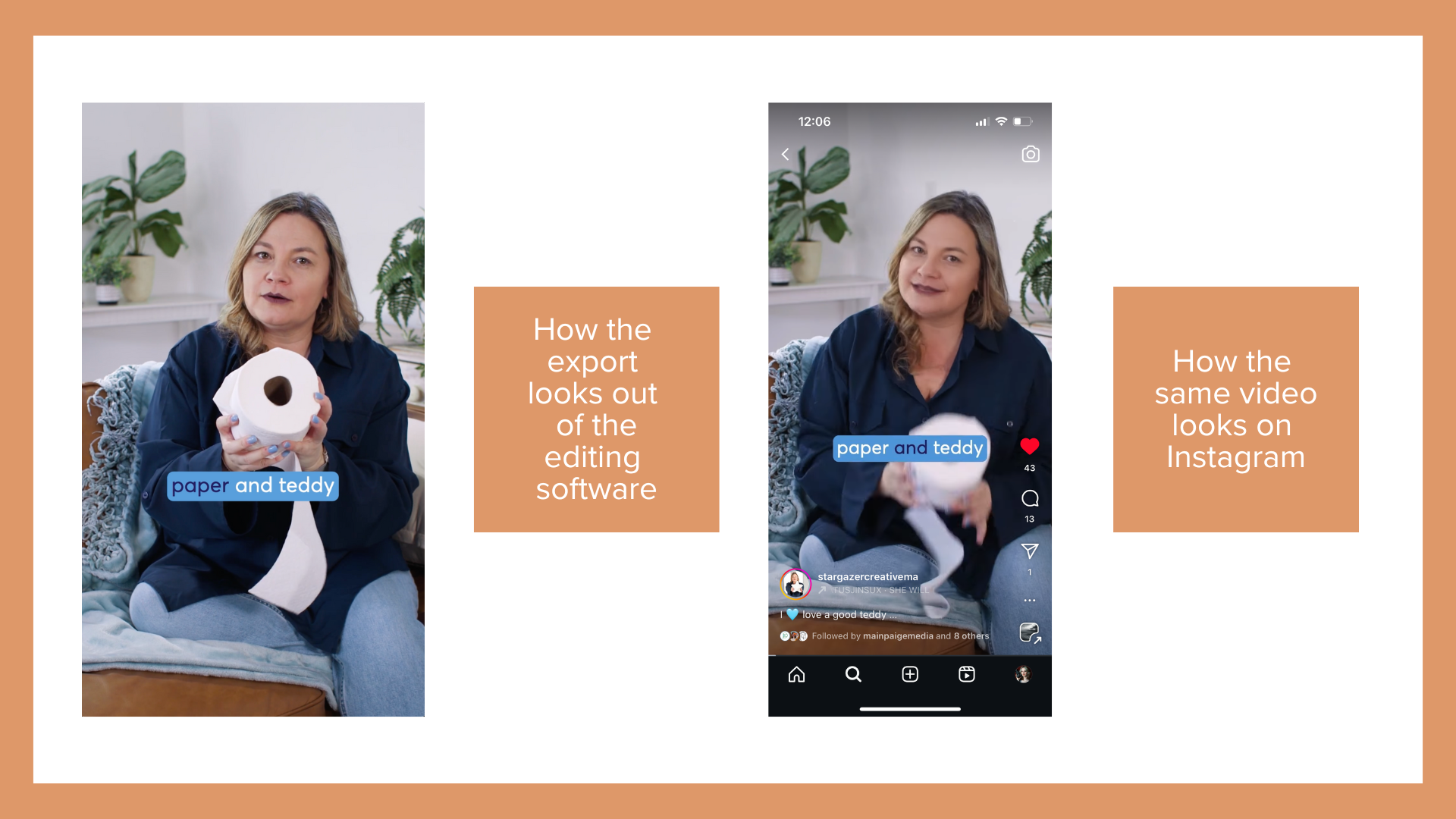
When shooting Vertical…
Make sure to leave ample space at the top and sides of the frame because platforms like Instagram will often crop the images to fit the interface.
CONTENT IDEAS:
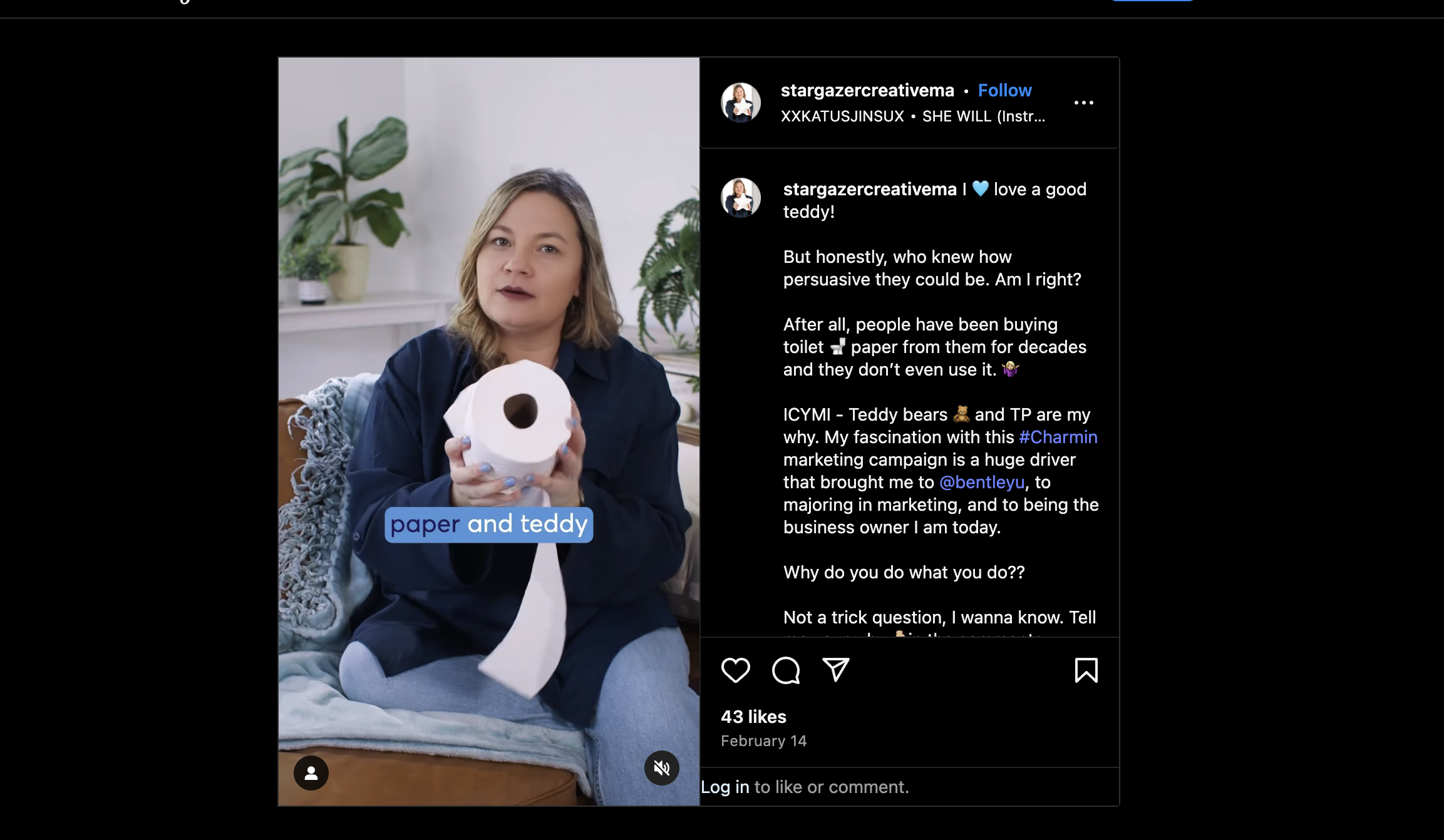
“Fun Facts”
Starting with a hook through the Voice Over/Script or visually through the video (or both) is a great way to stop the scroll. Say things like “Did you know ….?” “Not many people know this, but ….” “You’ve been doing …. wrong.”
Watch this example from Stargazer Creative that uses both a visual and auditory hook.
Product Demos/Your Process
People like to get the behind the scenes of what you’re doing or why you’re doing it.
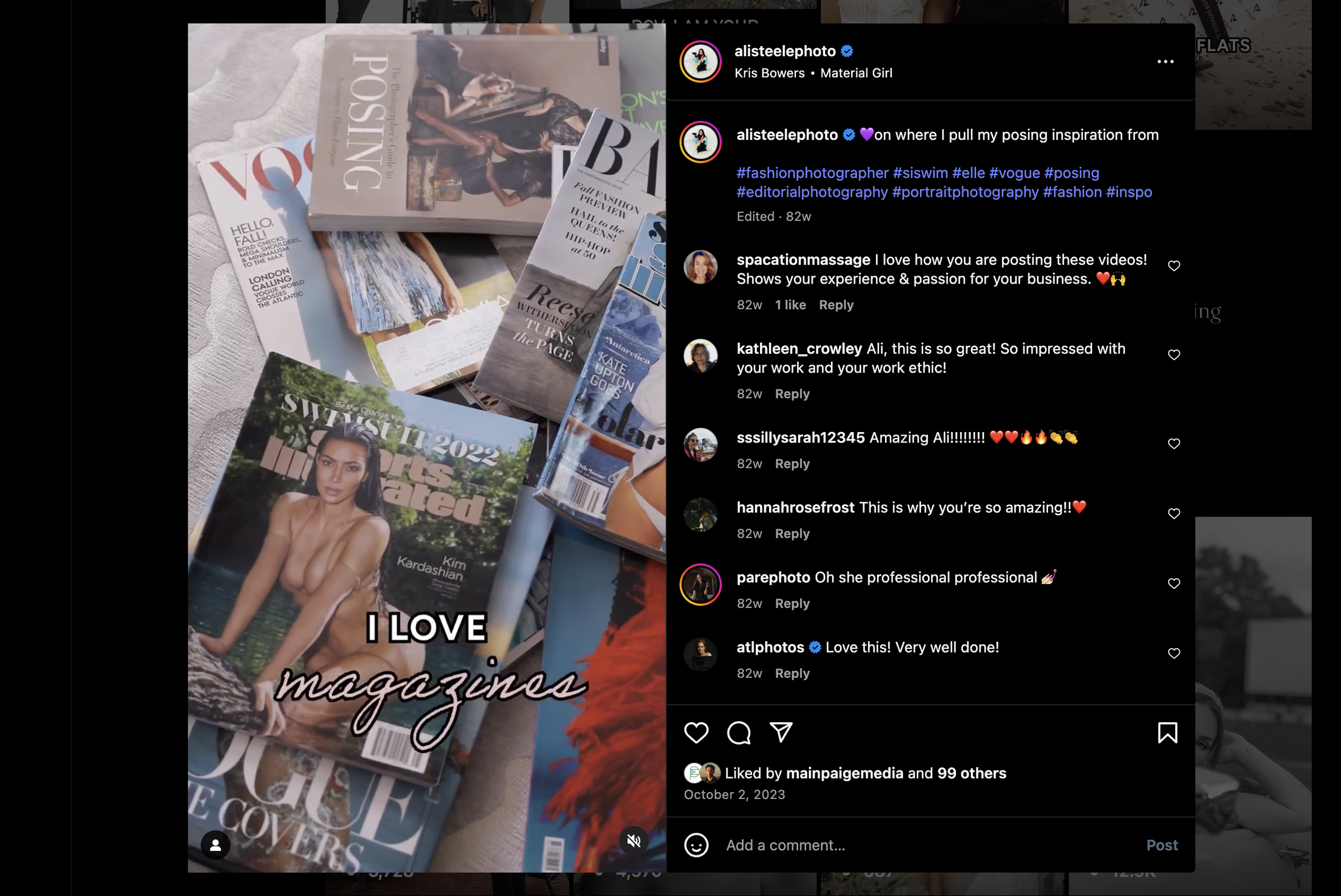
Watch this example where photographer, Ali Steele, describes how she gets posing inspo.
The People Behind the Biz/Brand
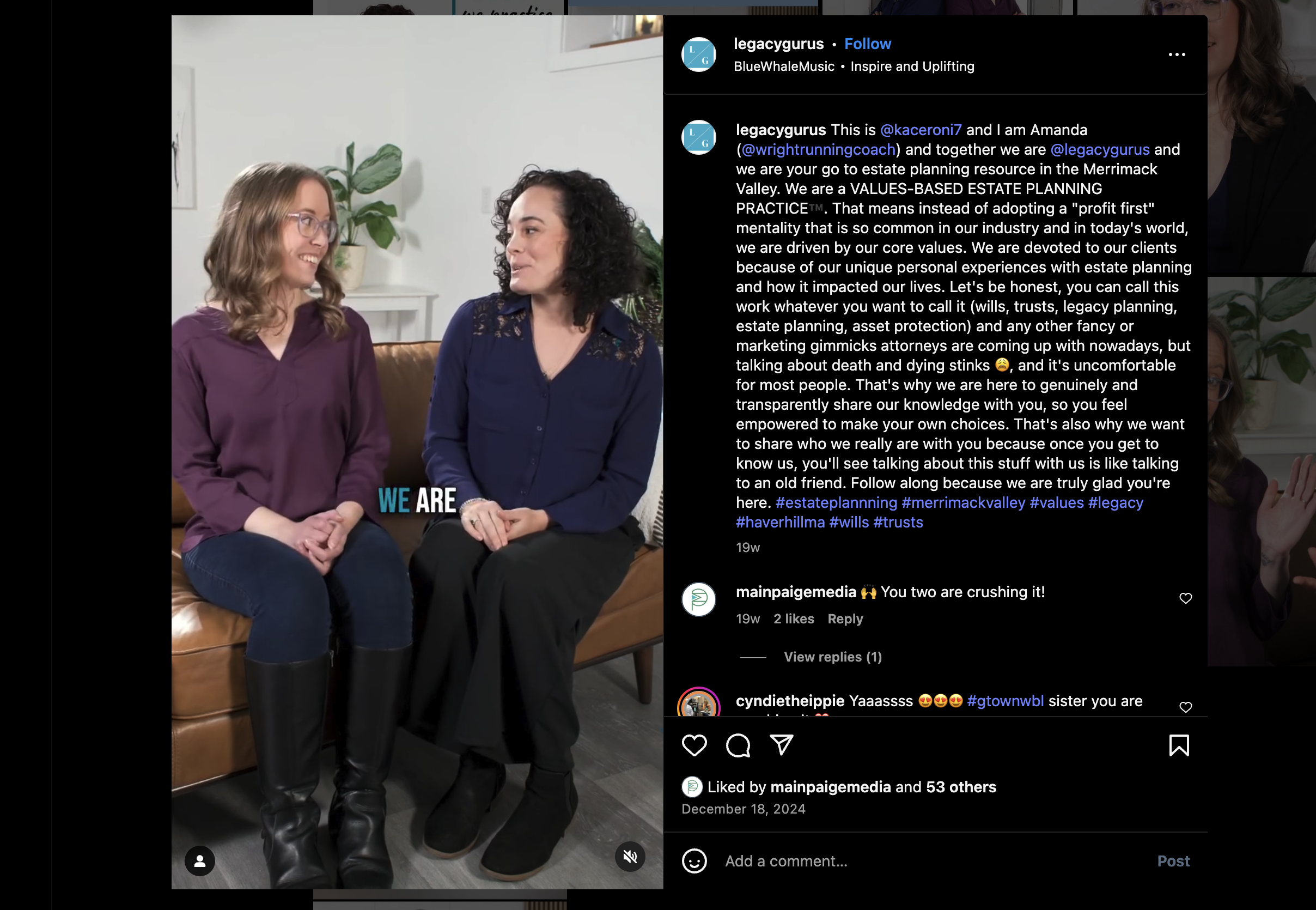
Content with PEOPLE performs very well - have business owners, brand founders and/or employees talk straight to camera about their position, why they love working there/what they do, etc.
Watch this example introducing two employees at an Estate Planning firm and why they do what they do.
EDITING & POSTING BEST PRACTICES:
Many social platforms have the ability to edit in-app, however it can be clunky. Here are some free editing softwares:
iMovie is included on Mac computers
CapCut is a very widely used free editing software
Jump cuts are allowed and encouraged, B-Roll is a bonus, Transitions grab attention
People’s attention spans are lacking, punching in on the interview shots or using B-Roll (or outside imagery such as the magazine shots in the Posing Reel) are a great way to keep the viewer engaged. Not to mention, a transition, whether in-camera or in post, shows up in every other reel on your feed.
Captions are necessary
Many people don’t scroll with sound on, so having captions is essential to get your message across
Be creative with captions - notice all of the reels featured above capitalize, bolden, or do something different to certain phrases to emphasize the most crucial messaging
Using “trending audio”
Cutting your footage to music is always encouraged, but what is even more useful is cutting to trending audio to cater to the platform’s algorithm
Hashtags - Be intentional … what hashtags are other businesses and/or creators in your field using?
Tag your collaborators, or if on Instagram, do a collaborative post to reach a new audience

FINAL TAKEAWAYS?
There are a lot of ways to approach producing video for social, and although it may be overwhelming, the best thing is to just start and honestly …. figure it out as you go along. Algorithms change and trends cycle in and out it seems like every five minutes. So at the end of the day, just show up as yourself online, or if for your business, as what epitomizes your brand identity.
I’d like to give a special shoutout to Nichole from Stargazer Creative for inciting this post which is reworked from a training document I made for her. Another shoutout — the example reels shown in the “Content Ideas” section were edited by me and created with the production company, Main Paige Media (some of which were through MPM’s quarterly Express Reels Sessions).
With that said, feel free to reach out if you have any questions or need help getting this content made. For now, happy content creation!
- Kayla